

How to Find Your Overall Search Visibility in Semrush (Visibility %)
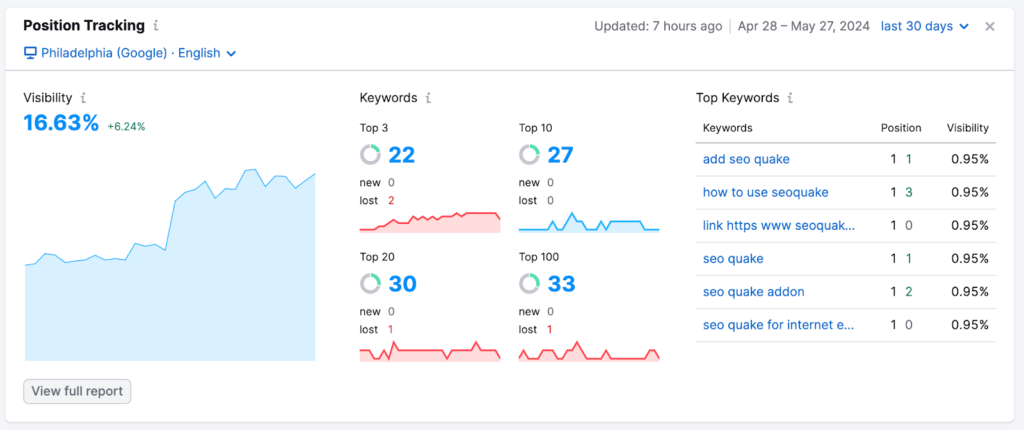
In Semrush, search visibility is shown as a Visibility %, which estimates how much of the available organic traffic your site captures from tracked keywords.
Steps
- Open Projects
- Select your project
- Go to Position Tracking
- Look at the Visibility % metric at the top of the report
What Visibility % means
- 0% – You are not ranking in meaningful positions for tracked keywords
- 10–30% – You have some page-one presence, usually mid or lower positions
- 40–60% – Strong visibility across many keywords
- 70%+ – Dominant presence for the tracked keyword set
This is not traffic. It’s an estimate of how visible your site is in SERPs, weighted by keyword positions and expected CTR.
Understand How Semrush Calculates Visibility
Semrush’s visibility score is calculated using:
- Your ranking positions
- Estimated CTR curves for each position
- Search volume of each keyword
- Your keyword coverage across page one
In simple terms:
Ranking #1 for a high-volume keyword contributes far more to visibility than ranking #9 for a low-volume keyword.
This is why visibility can rise even if traffic stays flat and vice versa.
How to Check Visibility Trends Over Time
Visibility is most useful when tracked over time, not as a one-off number.
Steps
- In Position Tracking
- Open the Overview tab
- View the Visibility Trend chart
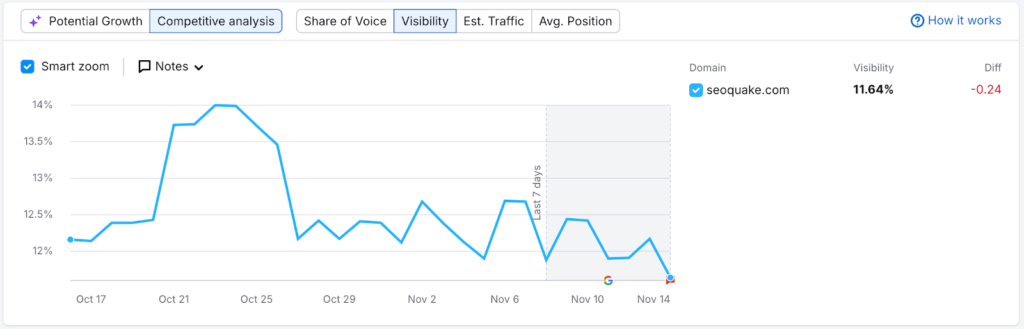
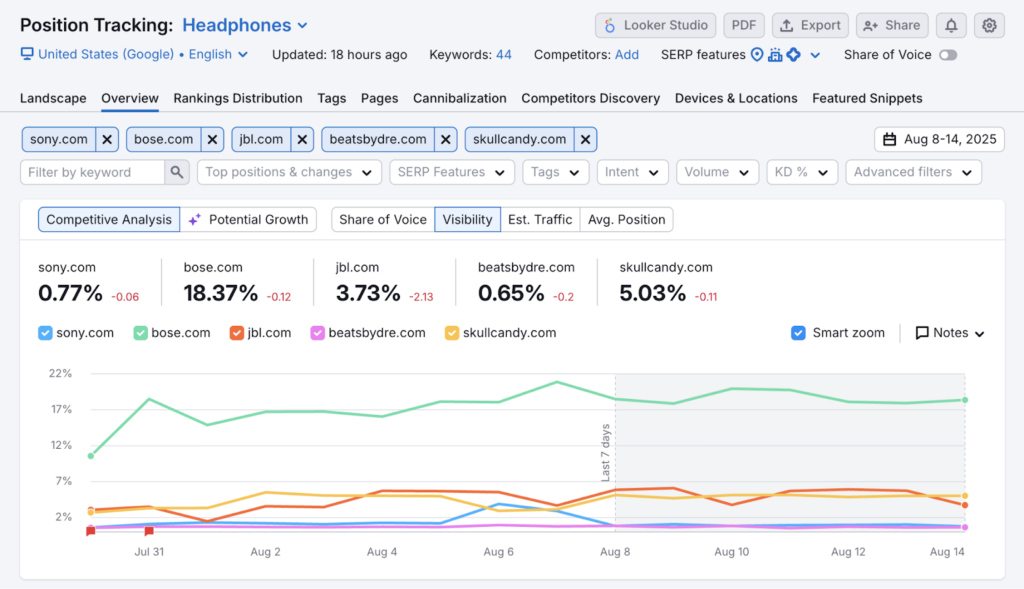
Use this to:
- Measure the impact of content updates
- Spot algorithm drops or gains
- Compare SEO performance month-to-month
A rising visibility trend usually means your SEO is working, even before traffic catches up.
Measure Visibility by Keyword Groups or Pages
You can break visibility down to understand where it’s coming from.
Keyword groups
- Create tags or keyword groups inside Position Tracking
- View visibility per topic, service, or content cluster
Page-level visibility
- Check which URLs rank for your tracked keywords
- See which pages contribute most to overall visibility
This is especially useful for:
- Service pages vs blog content
- Pillar pages vs supporting articles
- Local vs national keyword sets
Compare Your Visibility Against Competitors
Semrush lets you benchmark visibility directly.
Steps
- In Position Tracking
- Open the Competitors Discovery or Overview comparison
- Add competing domains
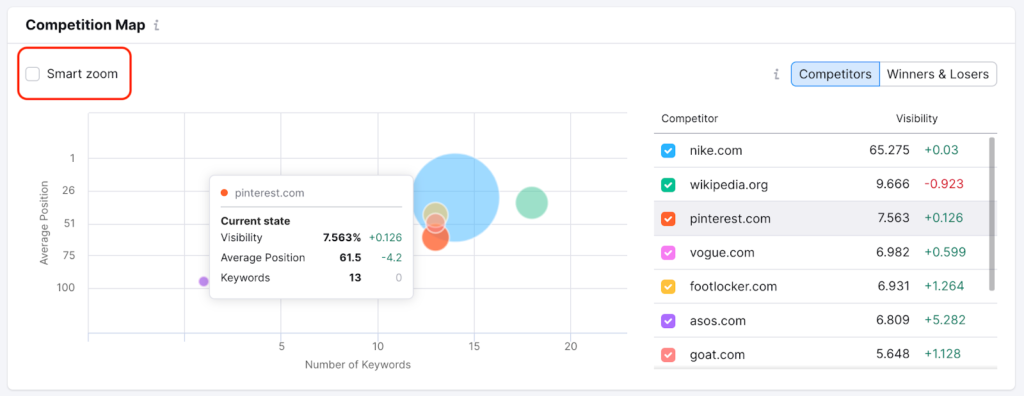
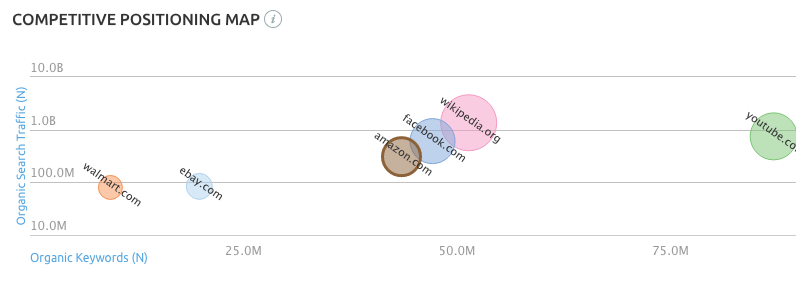
This shows:
- Who owns the most SERP real estate
- Where competitors are outranking you
- Visibility gaps you can target with content or optimisation
Use Organic Research for Broader Visibility Context
For a wider, non-tracked view:
- Go to Organic Research
- Enter your domain
- Review estimated traffic, ranking keywords, and top positions
This doesn’t give a single “visibility %” like Position Tracking, but it helps validate whether your tracked visibility reflects your real organic footprint.
Key Takeaway
In Semrush, search visibility is best determined using Position Tracking’s Visibility %, monitored over time and broken down by keyword groups, pages, and competitors.
Think of it as:
“How much of the SERP attention I could be getting am I actually winning?”



0 Comments